Posts

Showing posts with the label ios data recovery

Best iPhone 6 Data Recovery Software Tools

Image
Have you ever lost files on your iPhone 6 by accident? For most people, this may happen every day. According to Apple support team, you can restore your files through iTunes or iCloud backup. Yet it also have some limtations, especially when you have no backup at all. Don't panic. You can still get a professional iOS data recovery tools to help you and here are 5 top-rated ones for your reference. #1 Joyoshare iPhone Data Recovery One of the reputed iPhone 6 data recovery programs is definitely  Joyoshare iPhone Data Recovery . This is a fast solution to help Apple users to restore lost data from iPhone 6, 6s, 7, 8, x and new series in a few clicks only. As a powerful iPhone data retrieval tool, Joyoshare iPhone Data Recovery is capable of recovering more than 20+ kinds of data, including messages, contacts, call history, notes, calendars, photos, videos, third-party app data like WhatsApp, Kik, Viber messages and attachments, etc. No matter how you lost these files, such as a...

How Can I Recover Photos from Dead iPhone?

Image
When your iPhone crashed or get broken, I believe most users will care more about the pictures and other data stored on it than the device itself, since you can get a new iPhone easily but it may be hard to get lost data back. Now don’t be desperate because I will show you 3 best ways to recover photos from dead iPhone safely and selectively. Best iPhone Photo Recovery Tool: Joyoshare iPhone Data Recovery If your iPhone died unluckily, you may need a third-party data recovery tool such as Joyoshare iPhone Data Recovery to recover photos and other data from iPhone before going to the repair store or getting a new one. This is the most trustworthy and powerful iPhone data recovery program in the current digit market, and it can help you retrieve lost photos from iPhone directly, iTunes backup or iCloud backup. Besides pictures and videos, it can still restore many others iPhone data including contacts, call history, voice memos, notes, calendars, WhatsApp/Viber/Kik messages, etc. ...

How to Recover Photos from Water Damaged iPhone

Image
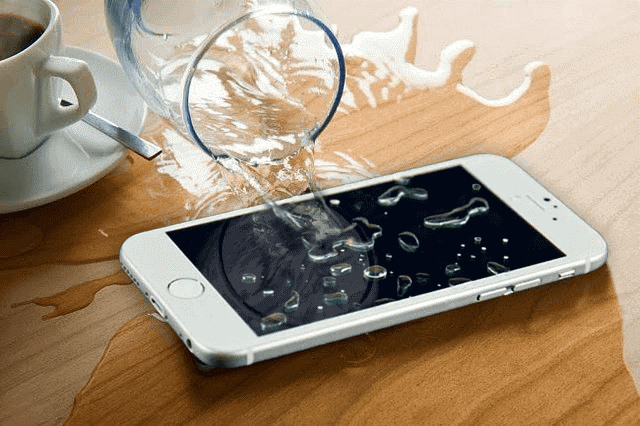
You may get your iPhone wet or even water damaged by accident, what makes you desperate is not only the device itself but also the precious pictures and other data stored in it, right? If this just happened to you, don’t worry, because in this post we’ll show you the quick easy way to retrieve photos from water damaged iPhone . To help you retrieve pictures from a water damaged iPhone, a professional and smart iPhone data recovery program is of great help. There are so many different iOS data recovery tools in the market, and one of the most dependable ones is  Joyoshare iPhone Data Recovery . Joyoshare iPhone Photo Recovery software enables you to restore any lost data including photos from water damages iPhone XS, XR, X, 8, 7, 6, etc with highest success rate. It allows you to recover missing data from the iOS device directly, iTunes and iCloud backup. Besides photos, it supports more than 20 kinds of lost files for recovery such as contacts, text messages, videos, n...

5 Best iMyFone D-Back Alternatives to Recover iOS Data

Image
Well-known as it is, iMyFone D-Back is a wonderful iPhone data recovery utility to help restore any lost or deleted data from iPhone, iPod and iPad. However, some users also complained that this app sometimes doesn’t work when it comes to iPhone X, and some data cannot be retrieved. So, in this post we have collected 5 useful iMyfone D-Back iPhone Data Recovery alternatives for those who want a replacement. #1. Joyoshare iPhone Data Recovery The first iMyFone D-Back alternative introduced is Joyoshare iPhone Data Recovery. It is a smart and trustworthy iOS data recovery tool to help you recover more than 20 kinds of different lost files including text messages, contacts, call history, photos and videos, voice memos, voice mail, notes, calendars, WhatsApp, Viber and Kik messages and attachments, and many more. Joyoshare iPhone Data Recovery not only restore your missing data on iPhone, but also can get all the lost data back from iPad and iPod touch at a super fast speed. ...

Do's and Don'ts to Save a Water Damaged iPhone

Image
Have you ever dropped your iPhone into water by mistake? Or does your phone get wet in the rain? When such accident happens, do you know whether your phone is water damaged or not? What would you do if your iPhone is really damaged by water? Don’t panic! Now let’s move on to discover top 10 tips to fix a water damaged iPhone successfully. 1. Find out if your iPhone is damaged Firstly you need to figure out if your phone has suffered from any water damage, and for the purpose, you need to look for the iPhone water damage indicator. Depending on the model you use the indicator can be in a different place. If you have an iPhone4 or 4s then the indicator will be in the charging port. If you use iPhone 5, 5C, 5S, 5SE, iPhone 6, 6s, 6s Plus, or iPhone 7 or 7s then the indicator will be in the SIM card tray slot. The water damage indicator is basically a small white tab which will turn red if it is too wet and can prove harmful for your device. If you notice this indicator has turned...